I'm building a sensory immersion studio. The end goal is a room where every piece of equipment — lighting, fog, machines, VR, haptics — is controllable from a single handheld device. The first step toward that was figuring out how to take control of equipment that was never designed to be part of a unified system.
Most consumer dungeon equipment ships with its own little remote. A machine has its remote. A fog machine has its switch. Smart plugs have an app. None of them talk to each other. If you want to change the vibe of a scene, you're physically walking around the room pressing buttons on five different devices. Or worse yet, you misplace the remote at a critical moment. That kills the energy. It kills the immersion. And it's a problem I decided to solve with radio.
The Hardware
The tool I'm using for RF control is a Flipper Zero running Momentum firmware. If you're not familiar, it's a handheld device with a built-in sub-GHz radio that can transmit and receive on the 300-928 MHz bands. Most consumer wireless devices: garage door openers, car key fobs, wireless outlets, and yes, sex toy remotes, operate on 433 MHz using simple protocols that the Flipper can capture and replay.
The idea is straightforward: point the Flipper at the equipment's remote, press the button on the remote, capture the signal, save it, and now you can replay that signal from the Flipper whenever you want. The remote becomes unnecessary. The Flipper becomes the universal remote for everything in the room.
The First Attempt: Protocol Decode
The Flipper's default sub-GHz capture mode tries to decode the signal into a known protocol. It'll identify that a signal is using, say, as my fucking machine uses, Princeton encoding at 433.92 MHz, decode the data bits, and save the result as a clean protocol file. This is the "right" way to do it — smaller file, cleaner signal, theoretically more reliable.
I pointed the Flipper at my fucking machine's remote, captured the on/off signal, saved it. The Flipper identified the protocol, decoded the bits, and I had a nice clean .sub file. I pressed transmit on the Flipper. The machine turned on. Beautiful.
Then I tried to capture the speed controls. Same process. Flipper decoded the signal. But after a short time, when I pressed transmit on a speed up or speed down command, the machine ignored it. Tried the on/off signal I'd already captured, which still worked. But the speed up and speed down signals just would not replay reliably when capturing them through Flipper's default "Read" mode for sub-GHz radio.
The Problem: Protocol Capture Is Lossy
When the Flipper decodes a signal into a protocol, it's making assumptions about the timing. It sees something that looks like Princeton encoding and it says "okay, this is a Princeton signal with these data bits." But the receiver on the equipment doesn't necessarily agree. Some receivers are picky about exact timing. The protocol-decoded version is close enough for some commands but not others — the timing is slightly off from what the receiver expects, and it silently rejects the signal.
This is a known issue in the Flipper community. Some devices work perfectly with protocol capture. Others are finicky. You won't know which category your device falls into until you try.
The Fix: RAW Capture
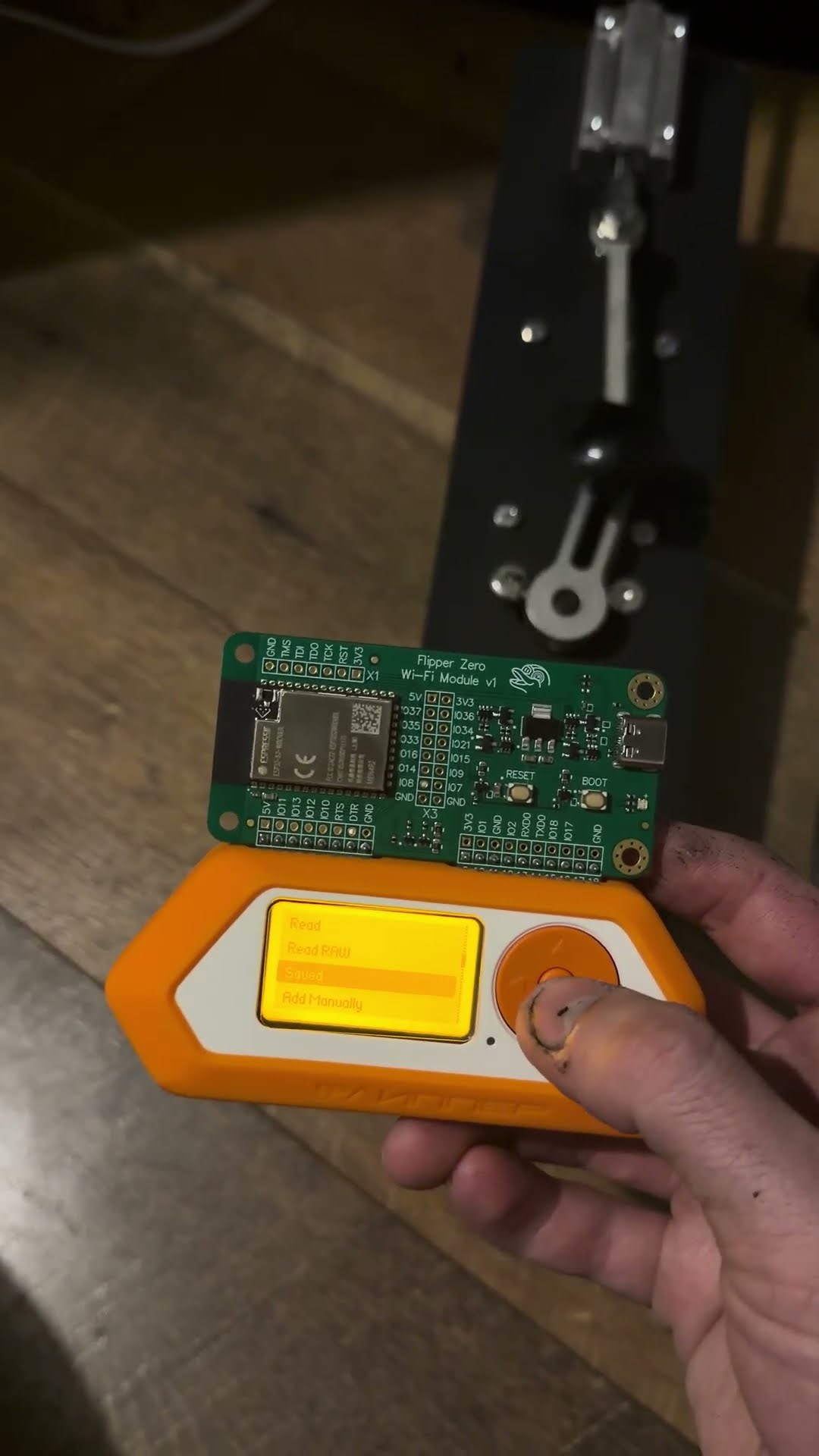
The Flipper has a second capture mode: RAW. Instead of trying to decode the signal into a protocol, it records the exact waveform — every pulse, every gap, exact microsecond timing. The resulting file is larger, but it's a faithful reproduction of exactly what the remote transmitted. No interpretation. No assumptions. Just the raw radio.
I recaptured every signal from the machine's remote in RAW mode. On, off, speed up, speed down. Pointed the Flipper at the machine, pressed transmit. Every signal worked, consistently over time. The speed controls that had been unreliable with protocol capture were now working perfectly.
Building the Signal Library
With RAW mode proven, I recaptured each fucking machine remote signal as raw. Each signal gets saved as a named
.sub file on the Flipper's SD card. The file names correspond to the
function: Lock.sub for on/off, Up.sub for
speed up, Down.sub for speed down.
Now I can stand across the room, scroll to the command I want on the Flipper's screen, and press a button. The machine responds. No line of sight needed. No IR. Just 433 MHz radio propagating through the air.
Why This Matters
On its own, replacing a remote with a Flipper isn't that impressive. But this is the foundation for something larger. The Flipper isn't just a universal remote — it's a programmable multi-protocol command device. The same Flipper that sends sub-GHz signals to the machine also has a WiFi bridge that sends HTTP commands to a server, which controls VR environments, room lighting, and eventually a full haptic feedback system.
One button press on the Flipper can send a sub-GHz signal to the machine and simultaneously send a WiFi command that changes the lighting, shifts the VR environment, and triggers haptic effects. That's a multi-protocol quickhack — one input, multiple systems responding in under a second.
But it all started with pointing a radio at a remote and pressing record. The lesson: if you want to control something, you don't need permission from the manufacturer. You just need to speak the device's language. And on 433 MHz, the Flipper speaks fluently.
Next post: wiring up the WiFi command bridge and getting the Flipper to control a central server that coordinates every device in the room.